Important Notice
iOS 26 is not compatible with tkDerm touch 1.5.3. Therefore, updating to iOS 26 will prevent tkDerm touch from reading data and photos stored in iCloud. Server connections will also be disabled.tkDerm touch 1.6.0, compatible with iOS 26, is scheduled for release on February 15th,2026. Due to a change in Apple's OS specifications, tkDerm touch 1.6.0 cannot read photos and data from iCloud.
If you have selected iCloud as the data storage destination for tkDerm touch, please export your saved photos to the Photos app before updating iOS to 26 or updating tkDerm touch to 1.6.0. Tapping the Save button on the Photos page will save them to the Photos app. tkDerm touch does not have a data export function, so you must export the data manually.
tkDerm touch 1.6.0 cannot save data and photos to iCloud. Choose whether to store data and photos locally on your device, or to store data and photos on a server and have tkDerm touch connect to that server as a client.
What's tkDerm touch?

tkDerm touch is a dermatological image database client suitable for use by clinical dermatologists.
It runs on Apple's iPad.
Taking pictures of patients is an essential part of dermatological practice.
Keeping clinical photos in an easily searchable and reusable state is a time-consuming task and
many dermatologists have been looking for a tool to store their photos in such a way as to support clinical practice efficiently.
tkDerm touch was created to fulfill the dermatogists' need.
It is software of the eating-your-own-dog-food type as it was developed by a dermatologist facing such a need every day.
Features of tkDerm touch include:
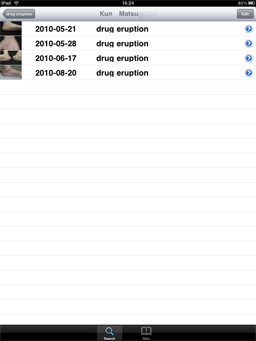
- It maps data to photos automatically based on the timestamps of digital photos.
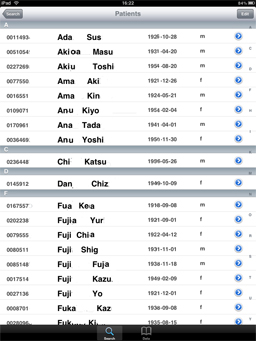
- You can find photos you want rapidly by browsing data in alphabetical order of patients' names or diagnoses or in order by the time of shooting or accessing photos.
- You can find photos by the distribution of an eruption as a search key.
- It takes you less time to shoot photos for following up a patient by reusing the patient's data you saved at the previous visit.
- Enjoying the benefits of the handiness of the iPad, you can recognize a subtle change of an eruption from the previous visit by side_by_side comparison between a present eruption and the photo displayed on the device.
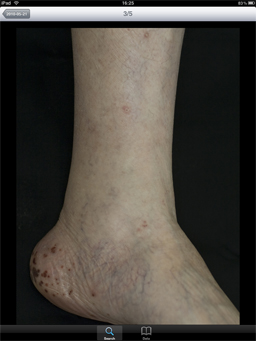
- Double-tapping a portion of a photo will enlarge it in such a way that the portion you tapped will be near the center of the enlarged image, which enables you to see details of an eruption easily.
- When rotating the device, photos will enlarge or shrink automatically to fit the new orientation of the device.
- By pinching, you can change the size of photos being shown as you like.
Documentation
tkDerm touch DocumentationDemo Video
Screen shots